> ## Documentation Index
> Fetch the complete documentation index at: https://docs.blinko.space/llms.txt
> Use this file to discover all available pages before exploring further.
# AI Enhanced Search
> Use AI to enhance your search
# AI Enhanced Search
Intelligent search based on RAG technology, using semantic understanding to find relevant note content.
 ## Usage Methods
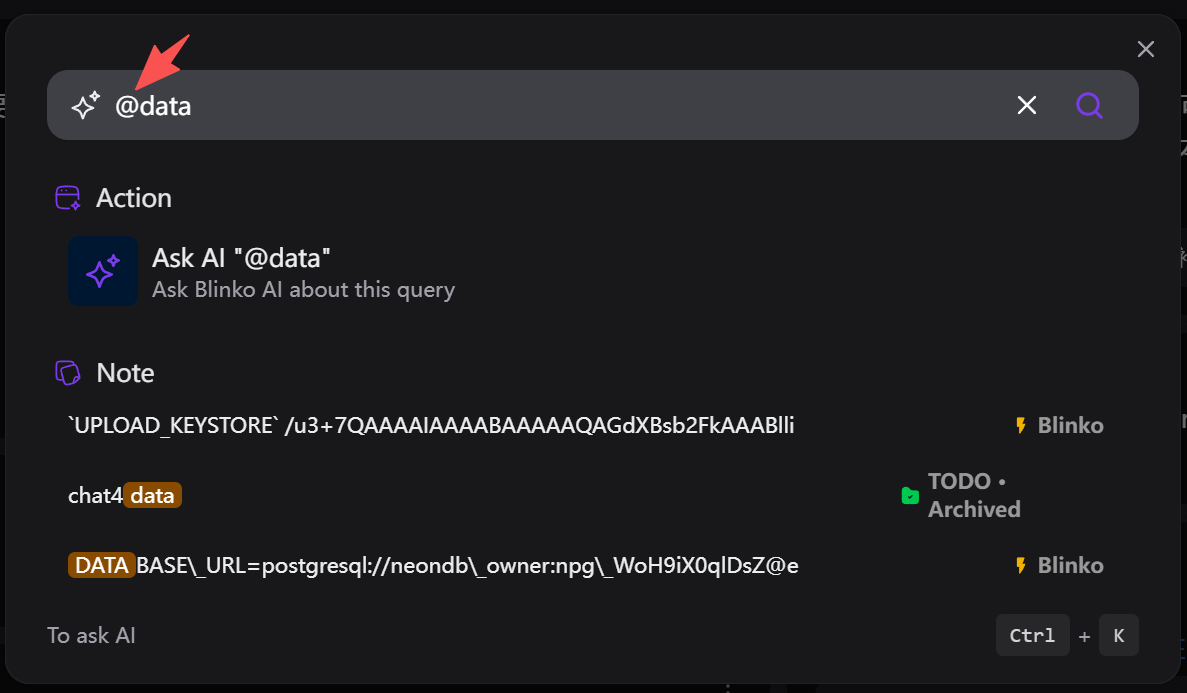
### Hotkey Search
* Press `Ctrl + K` to quickly open search
* Enter natural language queries
* Real-time display of relevant notes
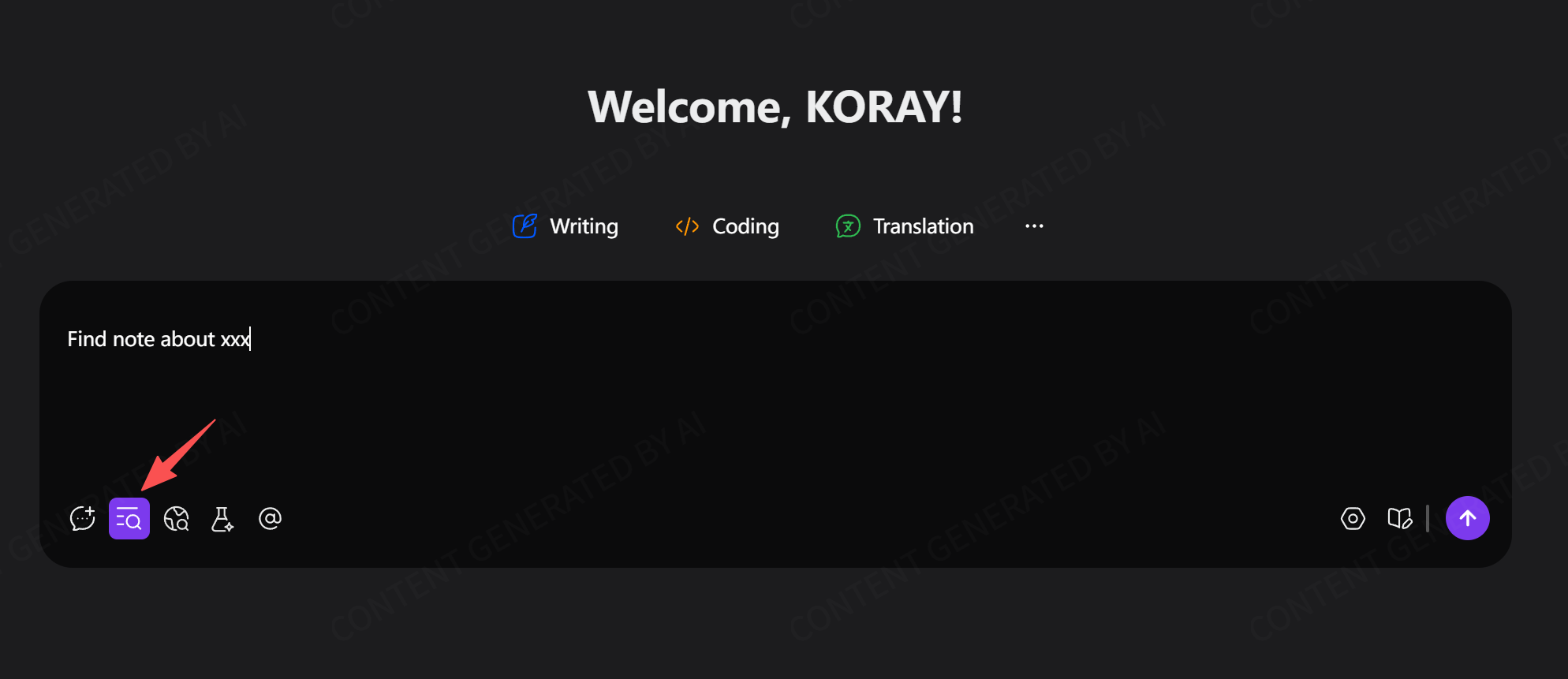
### AI Chat Search
* Automatically enables knowledge base retrieval during AI conversations
* Answers questions based on note content
* No manual searching required
## Search Features
* Semantic search that understands query intent
* Supports text, PDF, and attachment content
* Supports image content (requires multimodal models)
* Relevance scoring and intelligent ranking
## Parameter Settings
Adjust search parameters in AI settings:
* **Embedding Top K**: Initial search result count
* **Embedding Score**: Similarity threshold
* **Reranking**: Uses large language models to optimize results
## Usage Methods
### Hotkey Search
* Press `Ctrl + K` to quickly open search
* Enter natural language queries
* Real-time display of relevant notes
### AI Chat Search
* Automatically enables knowledge base retrieval during AI conversations
* Answers questions based on note content
* No manual searching required
## Search Features
* Semantic search that understands query intent
* Supports text, PDF, and attachment content
* Supports image content (requires multimodal models)
* Relevance scoring and intelligent ranking
## Parameter Settings
Adjust search parameters in AI settings:
* **Embedding Top K**: Initial search result count
* **Embedding Score**: Similarity threshold
* **Reranking**: Uses large language models to optimize results