> ## Documentation Index
> Fetch the complete documentation index at: https://docs.blinko.space/llms.txt
> Use this file to discover all available pages before exploring further.
# Share Your Note
> Guide to Share Your Note
# Share Your Note
Blinko provides flexible options to share your notes with others. This guide will help you understand how to use the sharing features effectively.
## Creating a Share Link
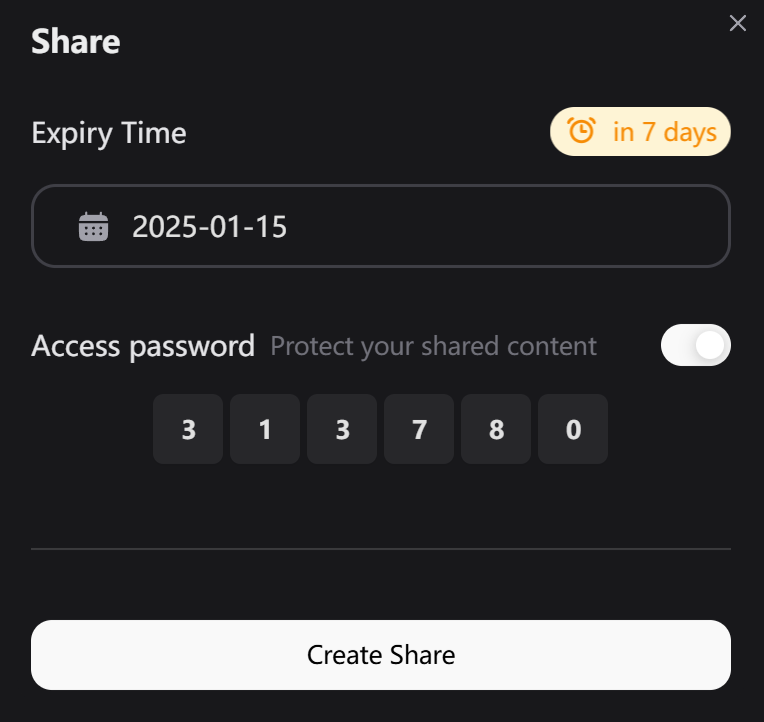
1. Click the share button in your note
2. Configure sharing options:
* **Expiry Time**: Set when the share link will expire
* **Access Password**: Optional protection for your shared content
* **Clean URL**: Generate a clean, shareable URL
 ## Share Settings
### Expiry Time
* Choose when the share link expires
* Default: 7 days
* Link automatically deactivates after expiry
### Access Protection
* Toggle password protection
* Set a custom numeric password
* Recipients need the password to view content
* Enhance security for sensitive information
## Share Page Preview
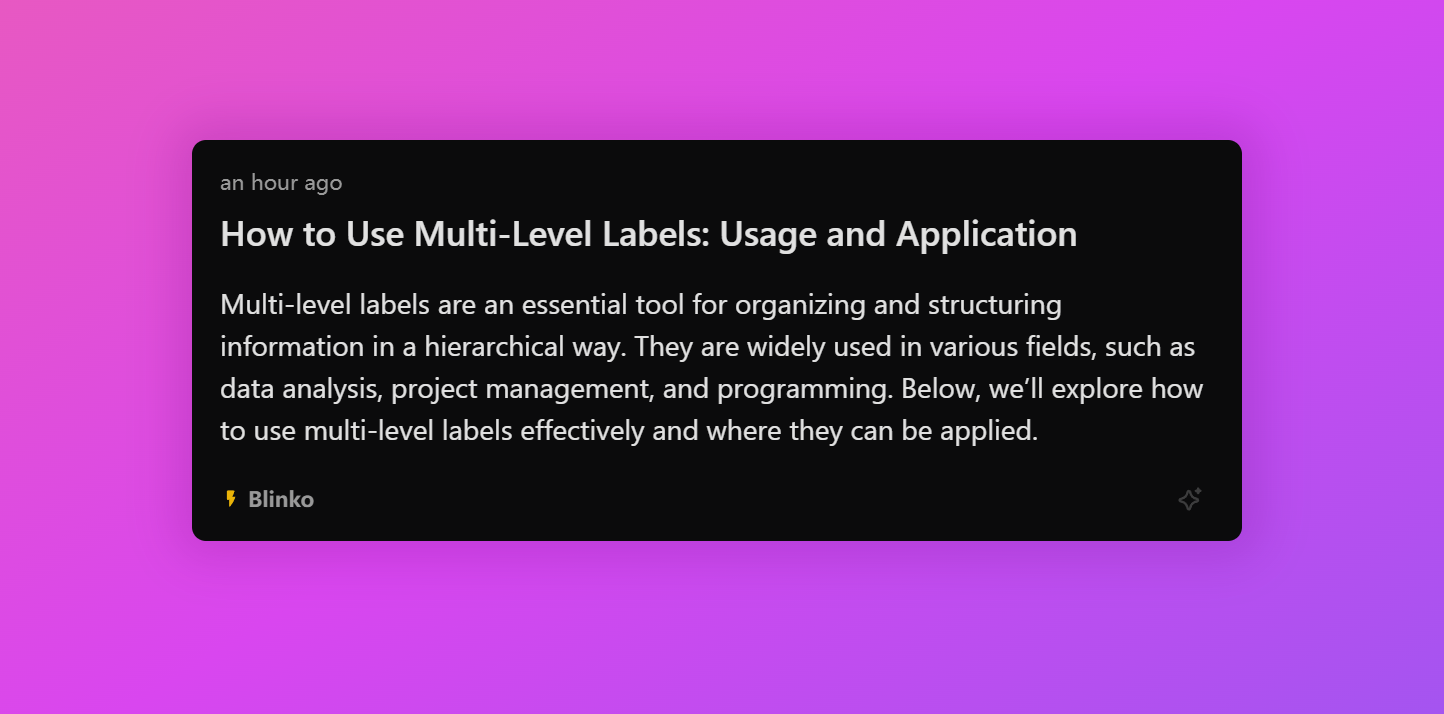
Blinko generates a beautiful, responsive sharing page that:
* Maintains your note's formatting
* Supports all media content
* Adapts to different devices
* Includes your custom theme if set
## Share Settings
### Expiry Time
* Choose when the share link expires
* Default: 7 days
* Link automatically deactivates after expiry
### Access Protection
* Toggle password protection
* Set a custom numeric password
* Recipients need the password to view content
* Enhance security for sensitive information
## Share Page Preview
Blinko generates a beautiful, responsive sharing page that:
* Maintains your note's formatting
* Supports all media content
* Adapts to different devices
* Includes your custom theme if set
 ## Managing Shared Notes
### View Active Shares
* See all your currently shared notes
* Check remaining time until expiry
* Monitor access statistics
### Modify Share Settings
* Update expiry time
* Change access password
* Revoke access anytime
## Best Practices
1. **Security**
* Use passwords for sensitive content
* Set appropriate expiry times
* Regularly review active shares
2. **Sharing**
* Test the link before sharing
* Include password in separate communication
* Consider recipient's timezone for expiry
Shared notes are read-only. Recipients cannot edit the content.
Once a share link expires or is revoked, it cannot be reactivated. You'll need to create a new share.
## Managing Shared Notes
### View Active Shares
* See all your currently shared notes
* Check remaining time until expiry
* Monitor access statistics
### Modify Share Settings
* Update expiry time
* Change access password
* Revoke access anytime
## Best Practices
1. **Security**
* Use passwords for sensitive content
* Set appropriate expiry times
* Regularly review active shares
2. **Sharing**
* Test the link before sharing
* Include password in separate communication
* Consider recipient's timezone for expiry
Shared notes are read-only. Recipients cannot edit the content.
Once a share link expires or is revoked, it cannot be reactivated. You'll need to create a new share.