> ## Documentation Index
> Fetch the complete documentation index at: https://docs.blinko.space/llms.txt
> Use this file to discover all available pages before exploring further.
# AI增强搜索
> 使用AI增强您的搜索
# AI增强搜索
基于RAG技术的智能搜索,使用语义理解找到相关笔记内容。
 ## 使用方式
### 快捷键搜索
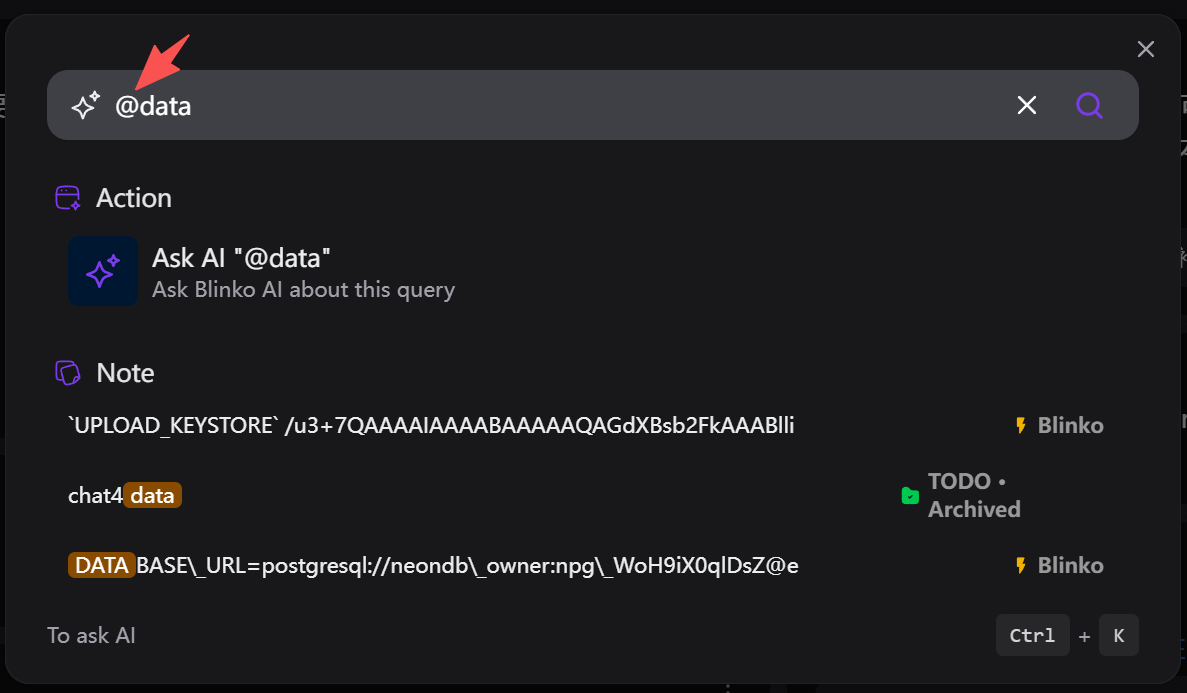
* 按 `Ctrl + K` 快速打开搜索
* 输入自然语言查询
* 实时显示相关笔记
### AI问答搜索
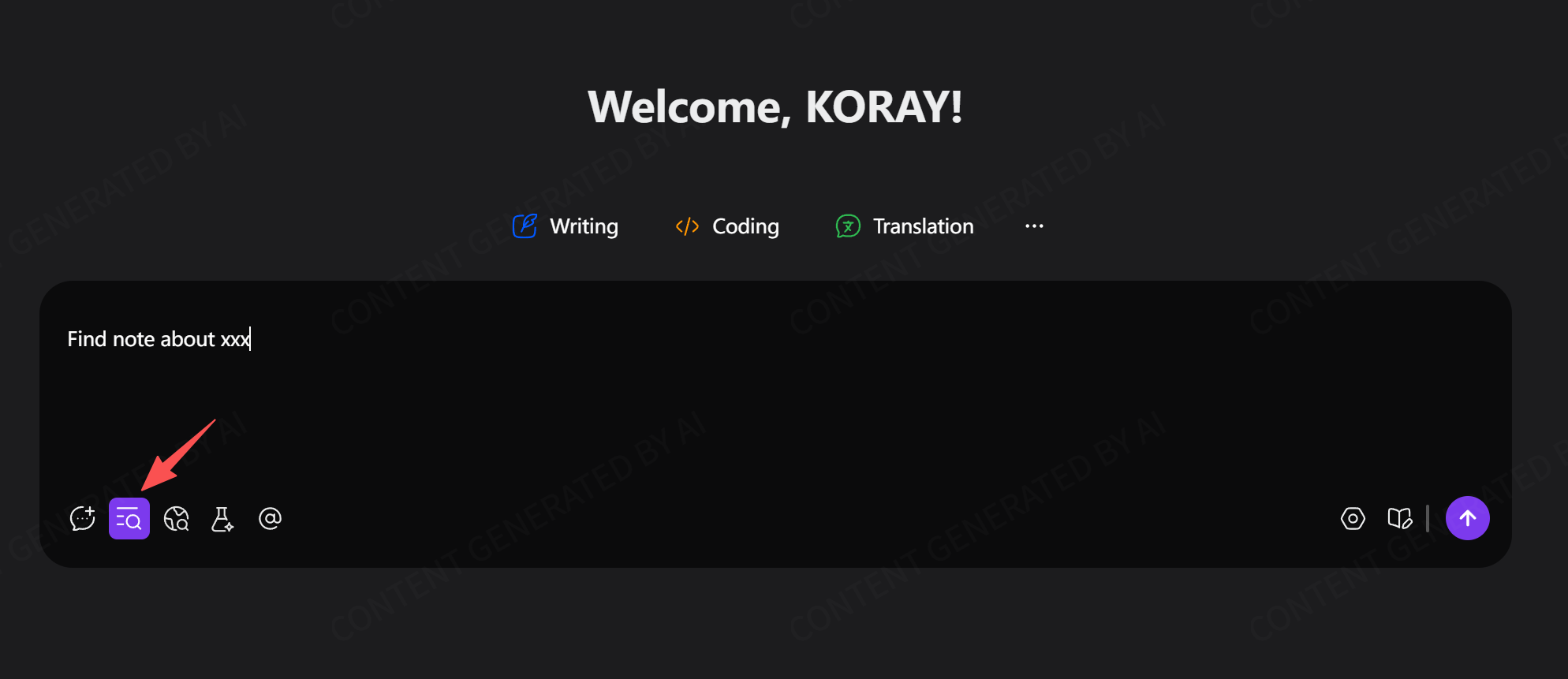
* AI对话时自动开启知识库检索
* 基于笔记内容回答问题
* 无需手动搜索
## 搜索功能
* 语义搜索,理解查询意图
* 支持文本、PDF、附件内容
* 支持图片内容(需要多模态模型)
* 相关性评分和智能排序
## 参数设置
在AI设置中调整搜索参数:
* **Embedding Top K**:初始搜索结果数量
* **Embedding Score**:相似度阈值
* **重排序**:使用大语言模型优化结果
## 使用方式
### 快捷键搜索
* 按 `Ctrl + K` 快速打开搜索
* 输入自然语言查询
* 实时显示相关笔记
### AI问答搜索
* AI对话时自动开启知识库检索
* 基于笔记内容回答问题
* 无需手动搜索
## 搜索功能
* 语义搜索,理解查询意图
* 支持文本、PDF、附件内容
* 支持图片内容(需要多模态模型)
* 相关性评分和智能排序
## 参数设置
在AI设置中调整搜索参数:
* **Embedding Top K**:初始搜索结果数量
* **Embedding Score**:相似度阈值
* **重排序**:使用大语言模型优化结果